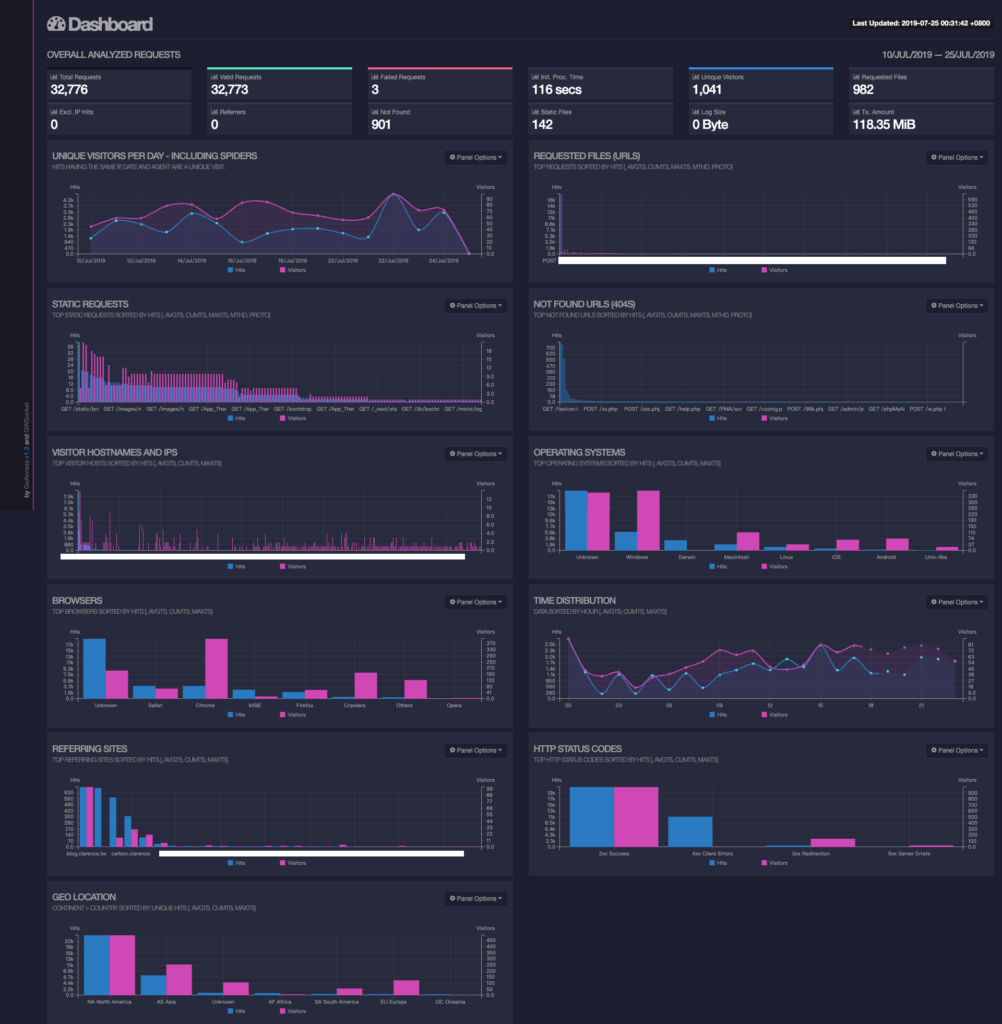
最近去聽人家的分享知道了一個簡單的 Web Log 分析工具就來用一下,重點是有好看的 Web GUI 與詳細的資訊,其實對於系統分析也不無是個幫助,所以就來跟大家分享一下拉 ~ 首先先來看看他的美圖吧 ~ 下圖是站長某一台機器的 log 做成的網頁。
安裝方法
其實使用簡單的 apt install goaccess 也是可以,不過版本有點舊,所以比較推薦用下面的安裝方法安裝,會使用 GoAccess 官方的套件庫。
This file contains hidden or bidirectional Unicode text that may be interpreted or compiled differently than what appears below. To review, open the file in an editor that reveals hidden Unicode characters.
Learn more about bidirectional Unicode characters
| echo "deb http://deb.goaccess.io/ $(lsb_release -cs) main" | sudo tee -a /etc/apt/sources.list.d/goaccess.list | |
| wget -O - https://deb.goaccess.io/gnugpg.key | sudo apt-key add - | |
| sudo apt-get update | |
| sudo apt-get install goaccess |
使用方法
首先要先更新設定檔 /etc/goaccess.conf 取消以下幾行的註解,或是在最下面加上以下這幾行
This file contains hidden or bidirectional Unicode text that may be interpreted or compiled differently than what appears below. To review, open the file in an editor that reveals hidden Unicode characters.
Learn more about bidirectional Unicode characters
| time-format %H:%M:%S | |
| date-format %d/%b/%Y | |
| log-format %h %^[%d:%t %^] "%r" %s %b "%R" "%u" |
如果只有單一 Nginix 檔案需要分析就用下面的 command
This file contains hidden or bidirectional Unicode text that may be interpreted or compiled differently than what appears below. To review, open the file in an editor that reveals hidden Unicode characters.
Learn more about bidirectional Unicode characters
| $ goaccess -a -d -f /var/log/nginx/access.log -p /etc/goaccess.conf -o /var/www/goaccess/report.html |
如果一次要分析所有的 Nginx access Log 就用下面的 Command
This file contains hidden or bidirectional Unicode text that may be interpreted or compiled differently than what appears below. To review, open the file in an editor that reveals hidden Unicode characters.
Learn more about bidirectional Unicode characters
| $ zcat -f /var/log/nginx/access.log* | goaccess -a -d -p /etc/goaccess.conf -o /var/www/goaccess/report.html |
如果不想記得指令可以跟站長一樣在 /usr/local/bin/goaccessreport 加入一個檔案內容如下,然後加入執行權限 chmod +x /usr/local/bin/goaccessreport,這樣需要更新 report 就直接執行 goaccessreport 就好很棒吧 XD ~
This file contains hidden or bidirectional Unicode text that may be interpreted or compiled differently than what appears below. To review, open the file in an editor that reveals hidden Unicode characters.
Learn more about bidirectional Unicode characters
| #!/bin/bash | |
| zcat -f /var/log/nginx/access.log* | goaccess -a -d -p /etc/goaccess.conf -o /var/www/goaccess/report.html |
另外還有 command 的瀏覽方式,瀏覽起來如圖:
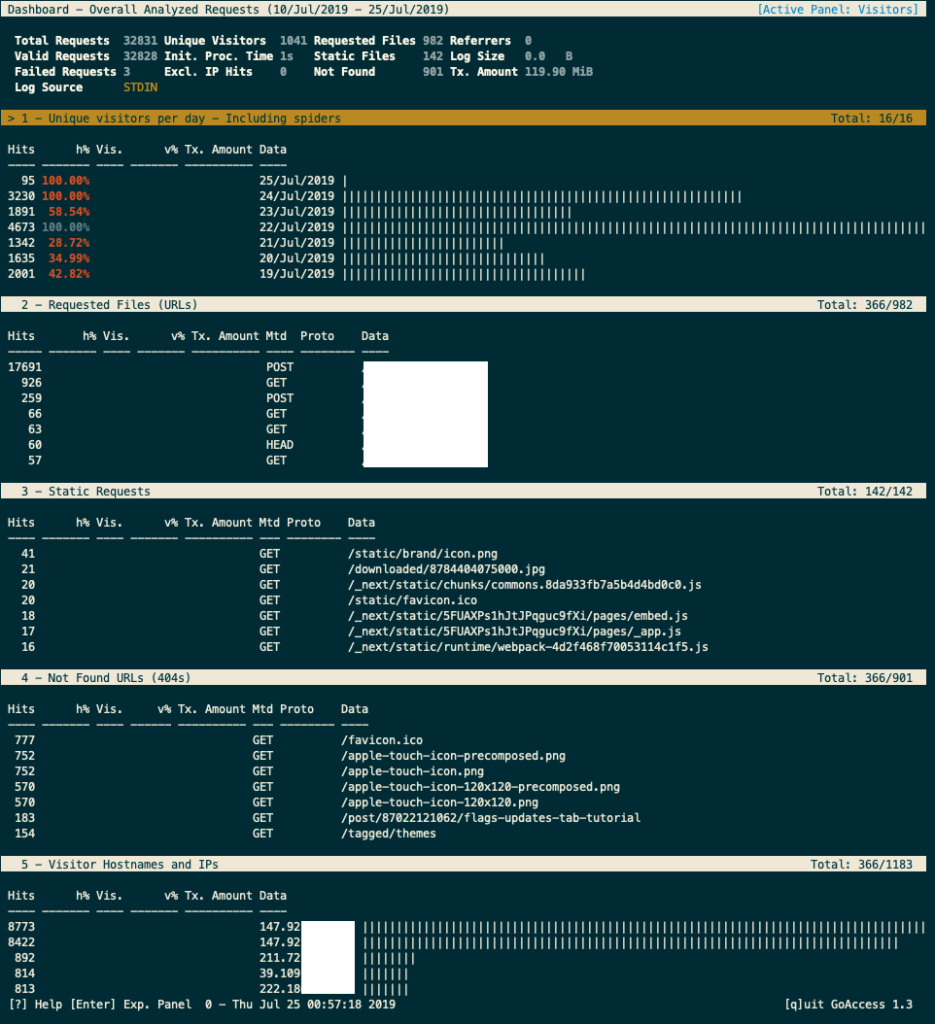
如果要出現上述圖就使用以下 Command
This file contains hidden or bidirectional Unicode text that may be interpreted or compiled differently than what appears below. To review, open the file in an editor that reveals hidden Unicode characters.
Learn more about bidirectional Unicode characters
| $ zcat -f access.log* | goaccess -a |
結論
上面的資料其實很清楚,裡面有訪客人數、請求網址、靜態檔案、404 錯誤網址、來源 IP 位址、訪客作業系統與瀏覽器版本、瀏覽時間、引介網站(referring sites)、訪客來源國家等各種統計資料,不管是分析網頁或是分析攻擊都是有幫助的。