最近在使用 TeamViewer 的時候發現它 5 分鐘就會跳出,這樣實在是很難用看來是被判定為商業用途的關係,在網路上搜尋要找到 Windows 的解決方法比較多,那在 Mac 上面要如何解決呢?
無法連線
通常出現無法連線會看到以下畫面

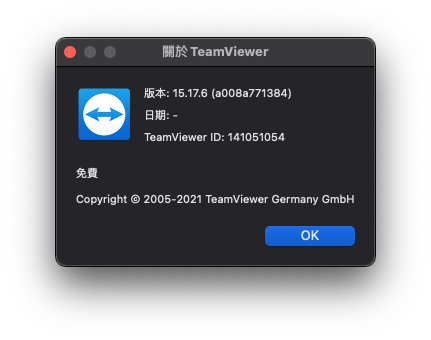
我的 TeamViewer 版本是 15.17.6
使用腳本移除 TeamViewer 設定擋
我在網路上找到一個滿好用的 Python 腳本可以幫我們解決這個問題
下載 Python 腳本
執行方法下載檔案後執行 sudo python tv-changer-for-mac.py
#!/usr/bin/env python
# -*- coding: utf-8 -*-

import os
import platform
import random
import re
import string
import sys

print('''
--------------------------------
TeamViewer ID Changer for MAC OS
--------------------------------
''')

if sys.version[0:1] != "2":
    print("This script can be run only on Python27.")
    sys.exit()

if platform.system() != "Darwin":
    print("This script can be run only on MAC OS.")
    sys.exit()

if os.geteuid() != 0:
    print("This script must be run form root.")
    sys.exit()

if "SUDO_USER" in os.environ:
    USERNAME = os.environ["SUDO_USER"]
    if USERNAME == "root":
        print("Can not find user name. Run this script via sudo from regular user")
        sys.exit()
else:
    print("Can not find user name. Run this script via sudo from regular user")
    sys.exit()

HOMEDIRLIB = "/Users/" + USERNAME + "/Library/Preferences/"
GLOBALLIB = "/Library/Preferences/"

CONFIGS = []


# Find config files

def listdir_fullpath(d):
    return [os.path.join(d, f) for f in os.listdir(d)]


for file in listdir_fullpath(HOMEDIRLIB):
    if 'teamviewer' in file.lower():
        CONFIGS.append(file)

for file in listdir_fullpath(GLOBALLIB):
    if 'teamviewer' in file.lower():
        CONFIGS.append(file)

if not CONFIGS:
    print('''
There is no TemViewer configs found.
Maybe you have deleted it manualy or never run TeamViewer after installation.
Nothing to delete.
''')
else:
    # Delete config files
    print("Configs found:\n")
    for file in CONFIGS: print(file)
    print('''
This files will be DELETED permanently.
All TeamViewer settings will be lost
''')
    raw_input("Press Enter to continue or CTR+C to abort...")

    for file in CONFIGS:
        try:
            os.remove(file)
        except:
            print("Cannot delete config files. Permission denied?")
            sys.exit()
    print("Done.")

# Find binaryes

TMBINARYES = [
    '/Applications/TeamViewer.app/Contents/MacOS/TeamViewer',
    '/Applications/TeamViewer.app/Contents/MacOS/TeamViewer_Service',
    '/Applications/TeamViewer.app/Contents/Helpers/Restarter',
    '/Applications/TeamViewer.app/Contents/Helpers/TeamViewer_Assignment'
]

for file in TMBINARYES:
    if os.path.exists(file):
        pass
    else:
        print("File not found: " + file)
        print ("Install TeamViewer correctly")
        sys.exit()


# Patch files

def idpatch(fpath, platf, serial):
    file = open(fpath, 'r+b')
    binary = file.read()
    PlatformPattern = "IOPlatformExpert.{6}"
    SerialPattern = "IOPlatformSerialNumber%s%s%s"

    binary = re.sub(PlatformPattern, platf, binary)
    binary = re.sub(SerialPattern % (chr(0), "[0-9a-zA-Z]{8,8}", chr(0)), SerialPattern % (chr(0), serial, chr(0)), binary)

    file = open(fpath, 'wb').write(binary)
    return True


def random_generator(size=8, chars=string.ascii_uppercase + string.ascii_lowercase + string.digits):
    return ''.join(random.choice(chars) for _ in range(size))


RANDOMSERIAL = random_generator(8)
RANDOMPLATFORM = "IOPlatformExpert" + random_generator(6)

for file in TMBINARYES:
    try:
        idpatch(file, RANDOMPLATFORM, RANDOMSERIAL)
    except:
        print("Error: can not patch file " + file)
        sys.exit()

print("PlatformDevice: " + RANDOMPLATFORM)
print("PlatformSerial: " + RANDOMSERIAL)

os.system("sudo codesign --force --deep --sign - /Applications/TeamViewer.app/")

print('''
ID changed sucessfully.
!!! Restart computer before using TeamViewer !!!!
''')
執行成功先重新啟動電腦
執行成功會看到 !!! Restart computer before using TeamViewer !!!! 記得重新開機再打開 TeamViewer 就會看到你的 TeamViewer 重置了
$ sudo python TeamViewer-15-id-changer-for-mac.py
Password:

--------------------------------
TeamViewer ID Changer for MAC OS
--------------------------------

Configs found:

/Users/clarence/Library/Preferences/com.teamviewer.teamviewer.preferences.plist
/Users/clarence/Library/Preferences/com.teamviewer.TeamViewer.plist
/Users/clarence/Library/Preferences/com.teamviewer.teamviewer.preferences.Machine.plist
/Library/Preferences/com.teamviewer.teamviewer.preferences.plist

This files will be DELETED permanently.
All TeamViewer settings will be lost

Press Enter to continue or CTR+C to abort...
Done.
PlatformDevice: device
PlatformSerial: serial
/Applications/TeamViewer.app/: replacing existing signature

ID changed sucessfully.
!!! Restart computer before using TeamViewer !!!!